Download & Installation Guide for Delta
Download the installer securely. Follow our detailed steps for a successful installation, review the system requirements, and troubleshoot common issues with the support of our technical team. The download button is located at the bottom of the page.
System Requirements
Before installing this software, ensure that your system meets the following requirements:
-
Windows 10 or higher (Windows 11 recommended)
-
Dual-core processor
-
Minimum 4GB RAM (6GB recommended)
-
500MB of free disk space
-
Internet connection for updates (optional)
-
Recommended antivirus: Avira Free
Troubleshooting Common Issues
If you experience problems during the download or installation, try the following:
-
Check your connection. If you use a USB WiFi adapter, try using a cable or restart your router.
-
If your browser blocks the download, select "Keep"or "Download anyway".
-
If antivirus or firewall prevents the download/installation, disable them or add exceptions.
-
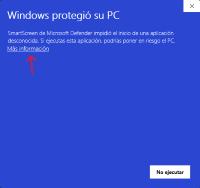
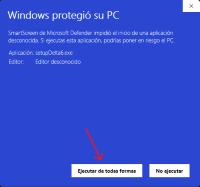
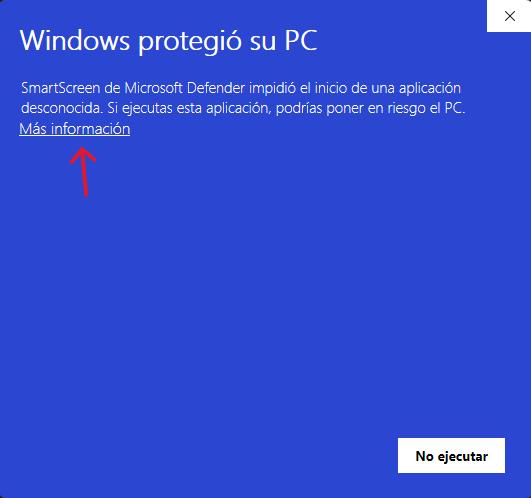
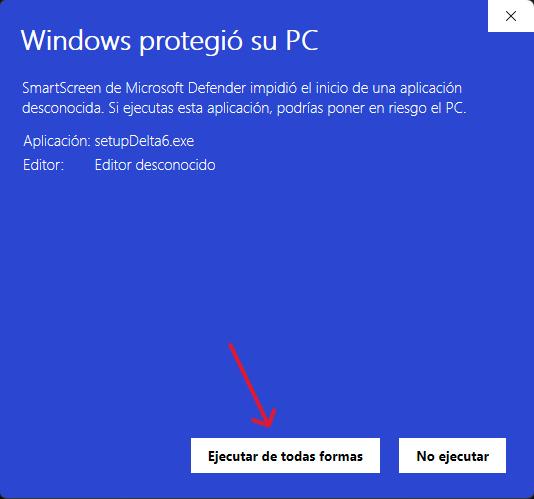
If Windows SmartScreen blocks the installation, click "More info"then "Run anyway".
-
If Windows blocks the download, check Windows Security in Settings > Privacy & Security.
-
If problems persist, contact us.
Download & Installation Instructions
Follow these steps to download and install the software without issues:
- Download: Click the download button to start the process and ensure that the download completes successfully.
- Verification: Locate the downloaded file in your 'Downloads' folder or the location you selected when saving it.
- Installation: Double-click the downloaded file to launch the installation and follow the wizard instructions. Make sure you have administrator permissions if required.
- Configuration: Follow the installer prompts to complete the configuration. Once finished, look for the application icon on your desktop or in the start menu to launch it.
Technical Support & Assistance
Our support team is available both on-site and online to assist you through every step of the download and installation process. Do not hesitate to contact us if you have any questions or issues.